VizMuse LogoVizMuse wordmark in graphite with coral and mint accents.VizMuse
CREATE
首页
AI Image Generator
AI Tools
EXPLORE
AI Models
价格
Reference Images
Aspect Ratio

Create Your Christmas Photo

Pick a festive style to start instantly, or customize left.

Christmas Styles

AI Christmas Photo Generator for Festive Holiday Portraits

Upload a selfie, family portrait, pet photo, or product image and transform it into a cozy, snowy, elegant, or candy cane Christmas scene.

Turn an everyday selfie, family picture, pet photo, or product shot into a polished Christmas image with Vizmuse. Upload your photo, choose a festive style, and let AI add seasonal lighting, winter backgrounds, decorations, outfits, and holiday atmosphere. Create portraits for Christmas cards, social posts, profile pictures, gifts, invitations, and seasonal campaigns without arranging a studio photoshoot.

Create My Christmas PhotoSee Examples
AI Christmas photo generator festive holiday portrait
Classic Christmas PortraitSnowy Winter WonderlandCozy FireplaceElegant Gold StudioSanta StyleCandy Cane Christmas Trend

Turn Any Photo into a Christmas Scene

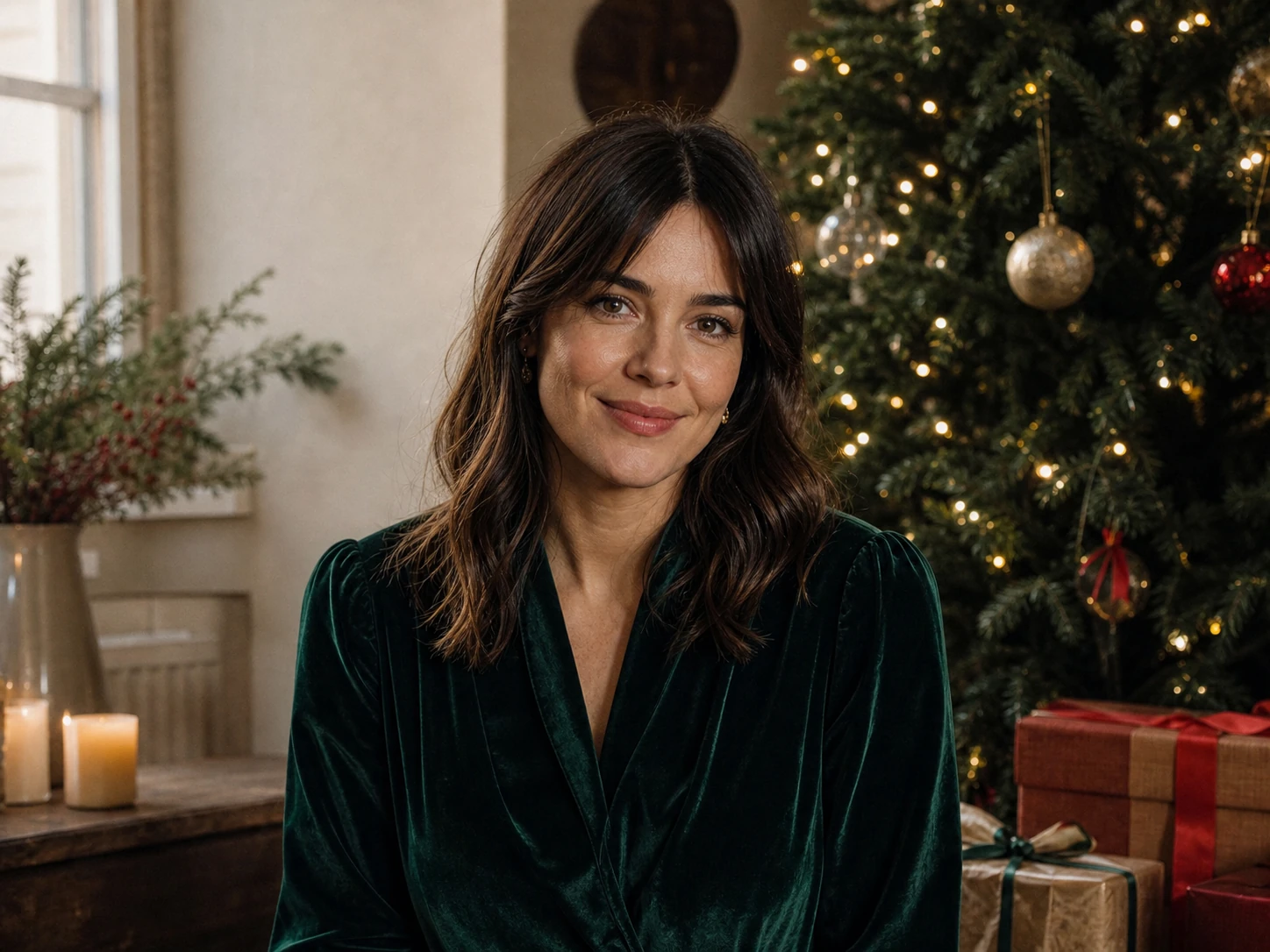
Everyday Selfie transformed with the Vizmuse AI Christmas photo generatorEveryday Selfie before AI Christmas photo generation
🛑 Before✨ After

Everyday Selfie

Classic Portrait
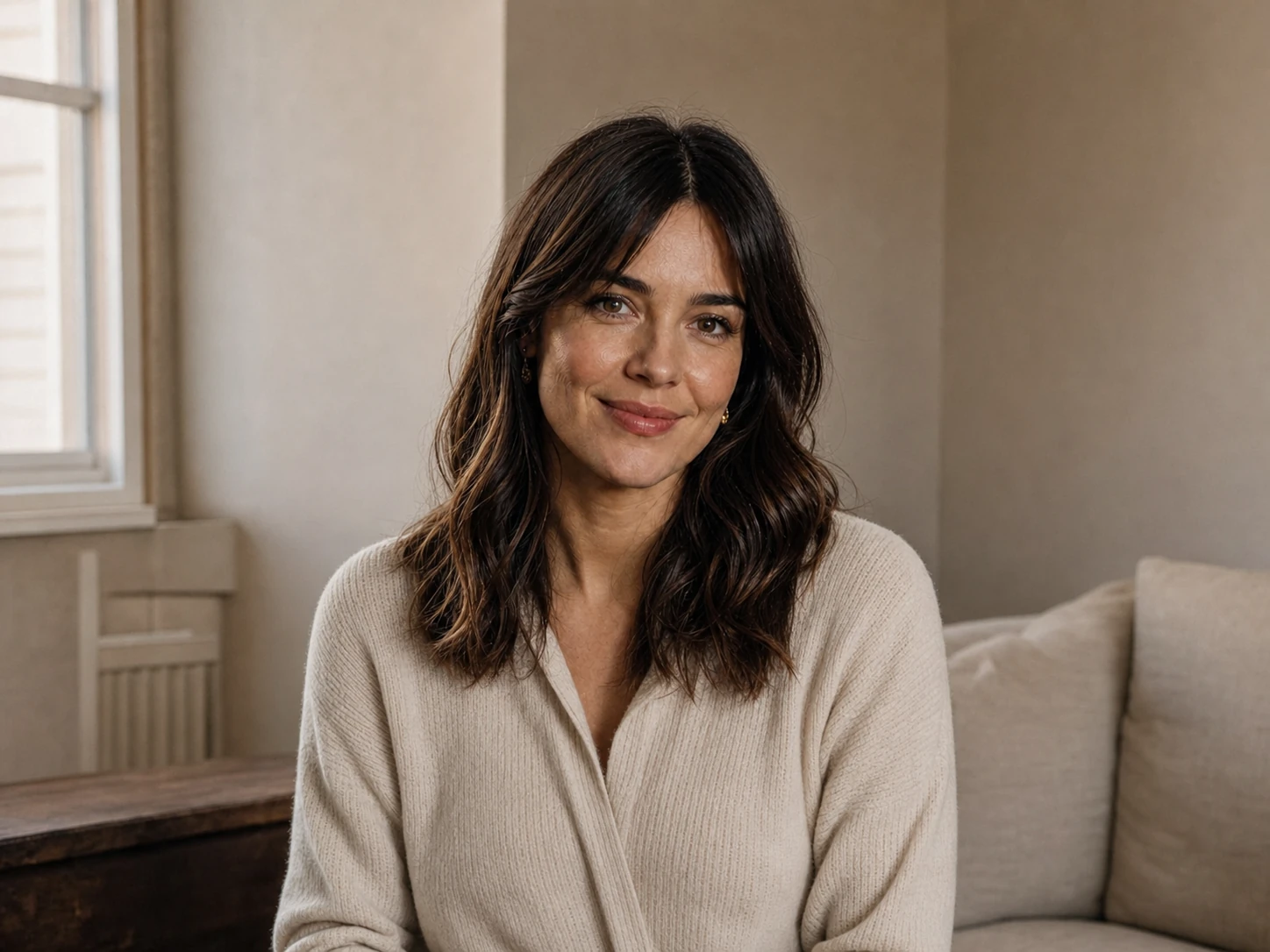
🛑Before: A clear, well-lit selfie with the main subject easy to see.
✨After: A warm, realistic portrait with a decorated tree, soft golden lights, wrapped presents, and natural studio lighting.
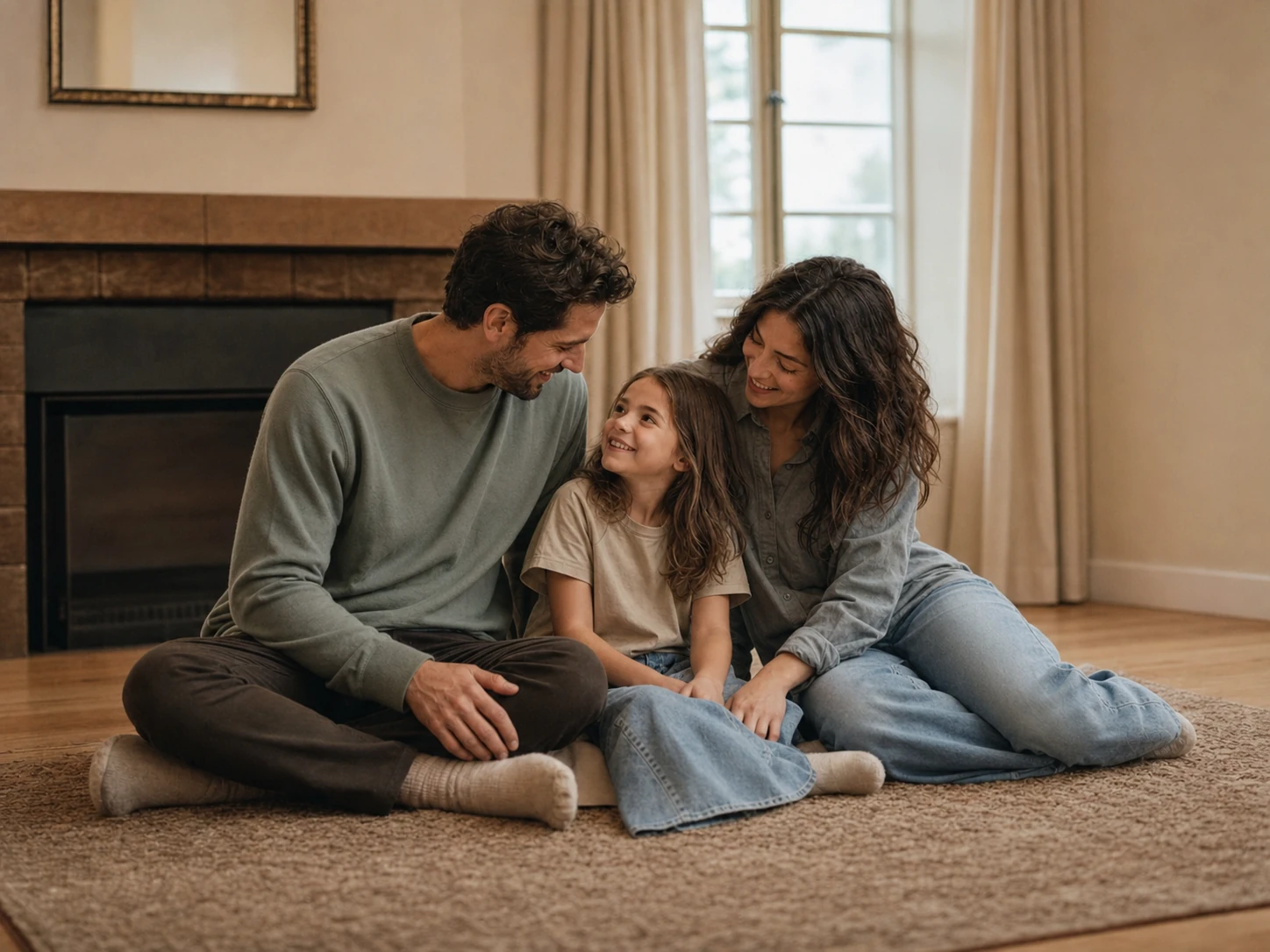
Family Picture transformed with the Vizmuse AI Christmas photo generatorFamily Picture before AI Christmas photo generation
🛑 Before✨ After

Family Picture

Cozy Fireplace
🛑Before: An existing group photo where every face is visible.
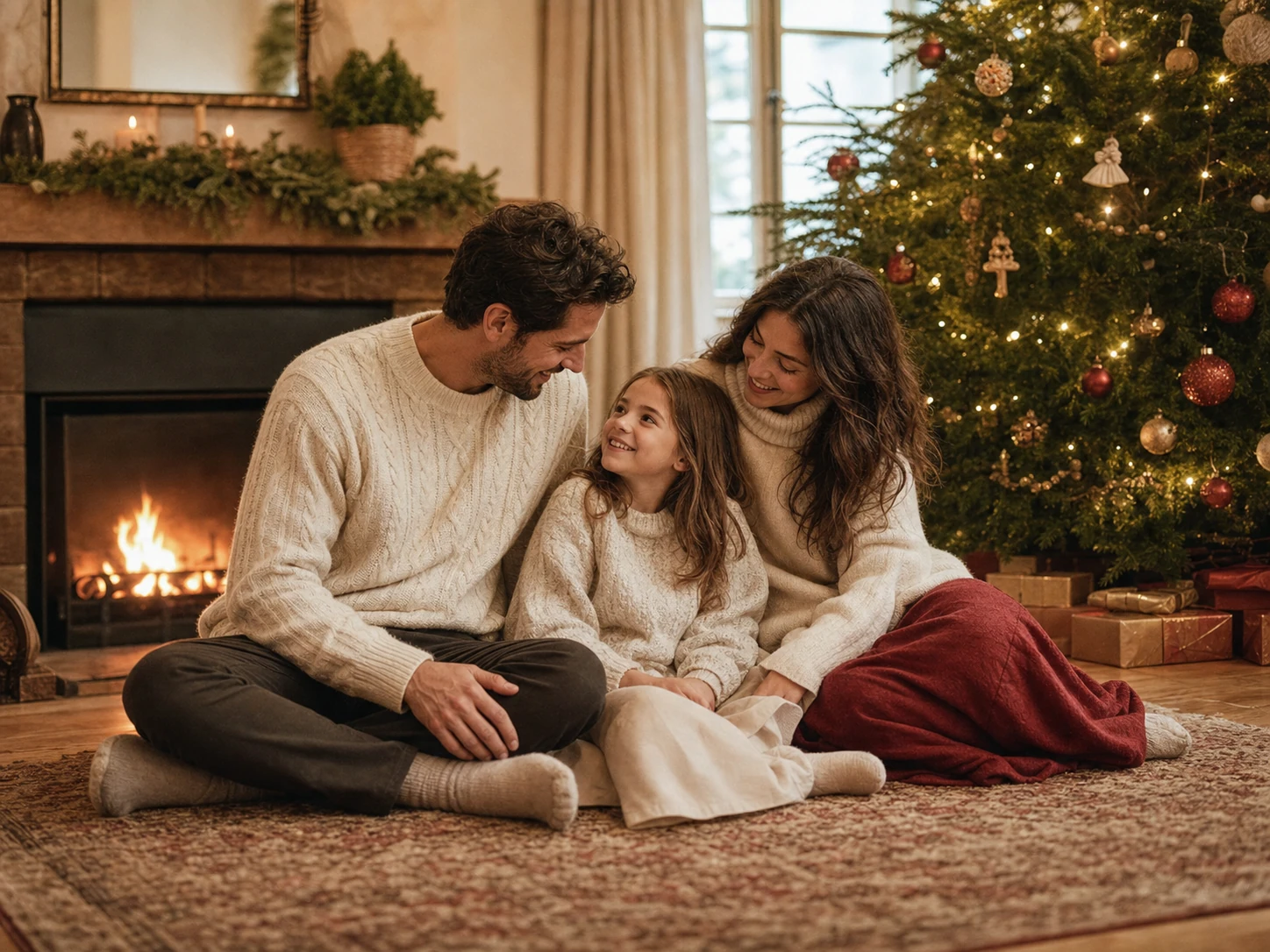
✨After: A coordinated holiday scene with warm pajamas, stockings, blankets, a fireplace, and a glowing Christmas tree.
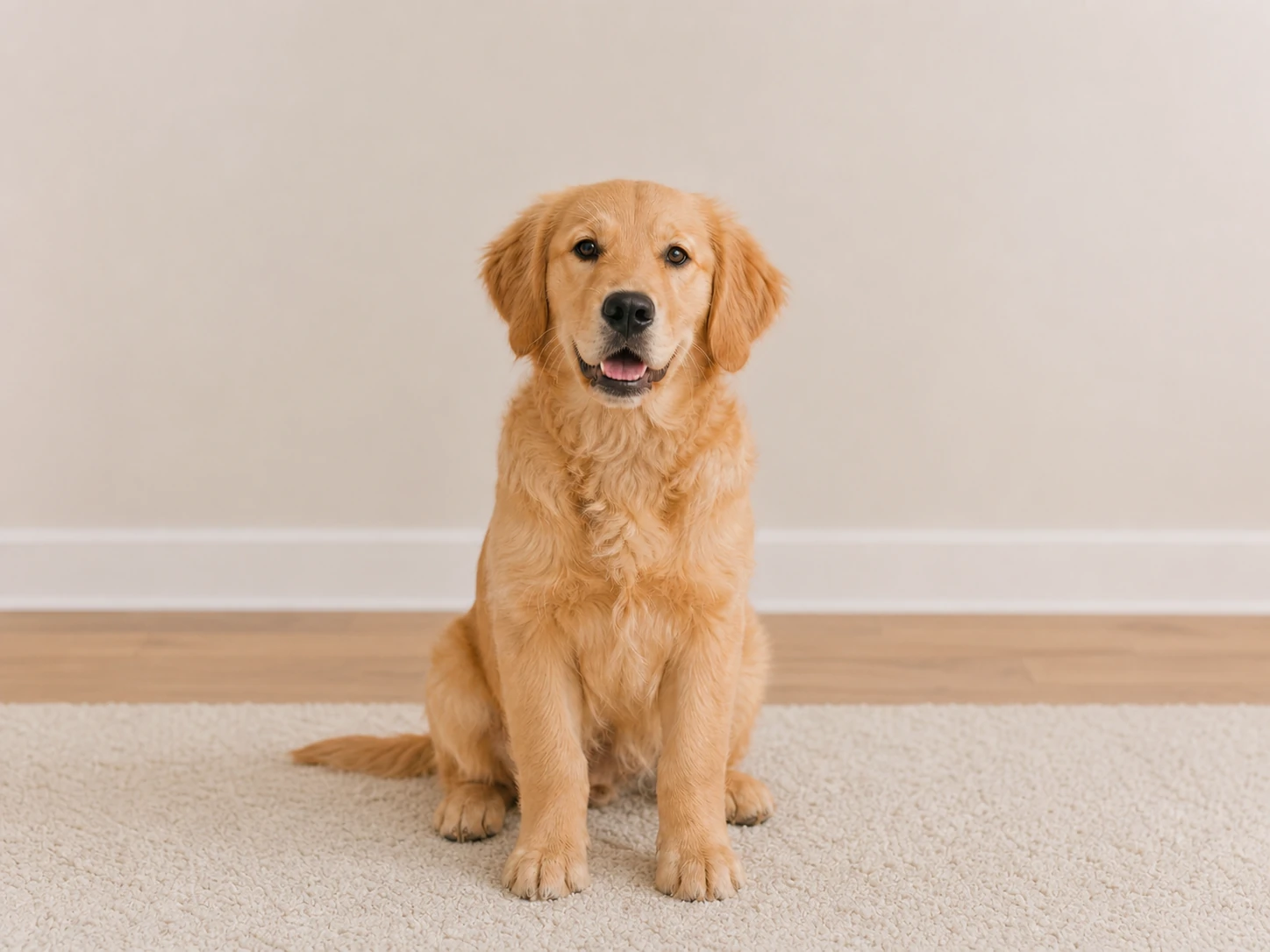
Pet Photo transformed with the Vizmuse AI Christmas photo generatorPet Photo before AI Christmas photo generation
🛑 Before✨ After

Pet Photo

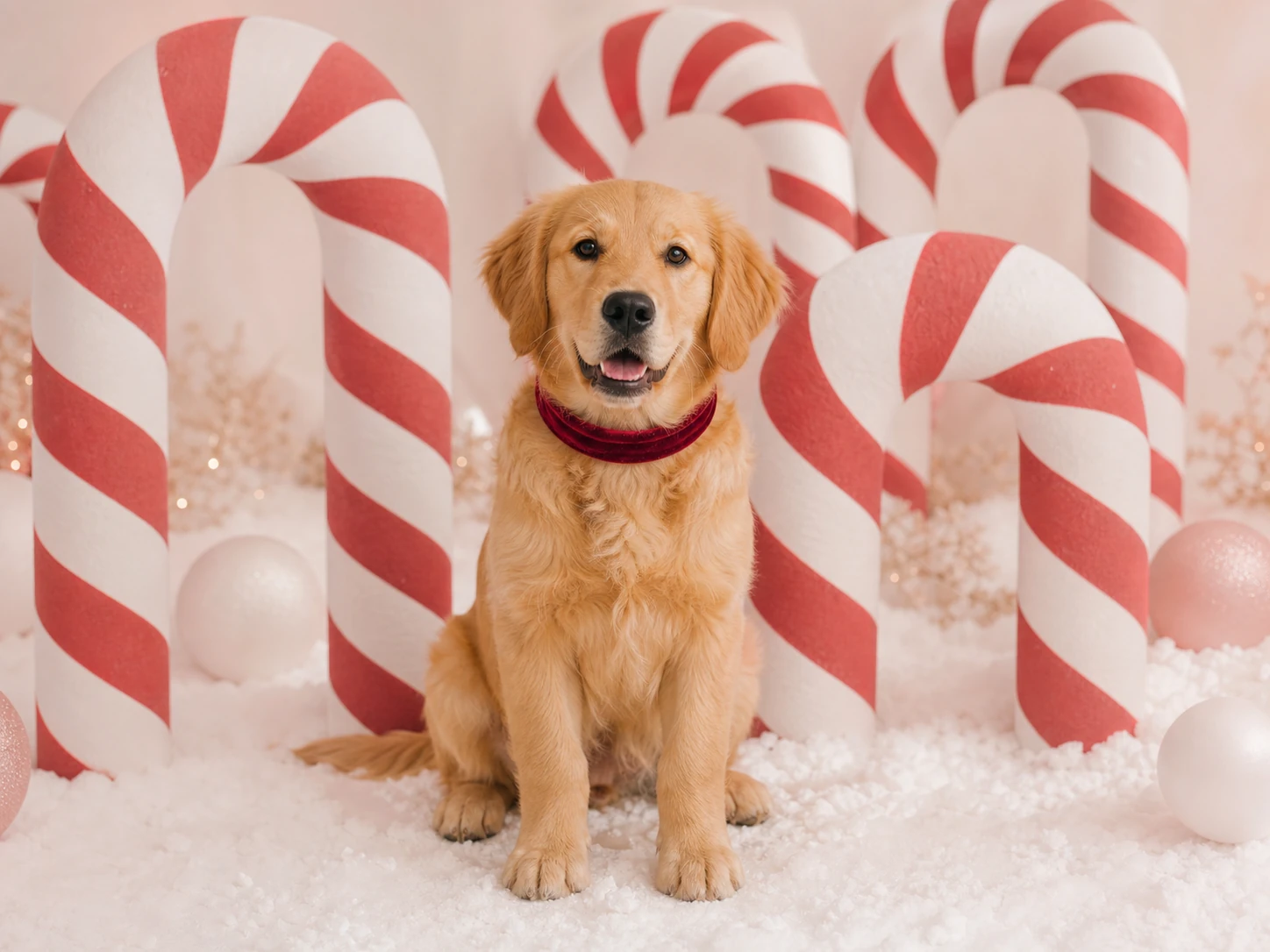
Candy Cane
🛑Before: A clear photo of a dog, cat, or other pet.
✨After: A playful red-and-white holiday studio with oversized peppermint decorations, sparkling styling, and soft snow.
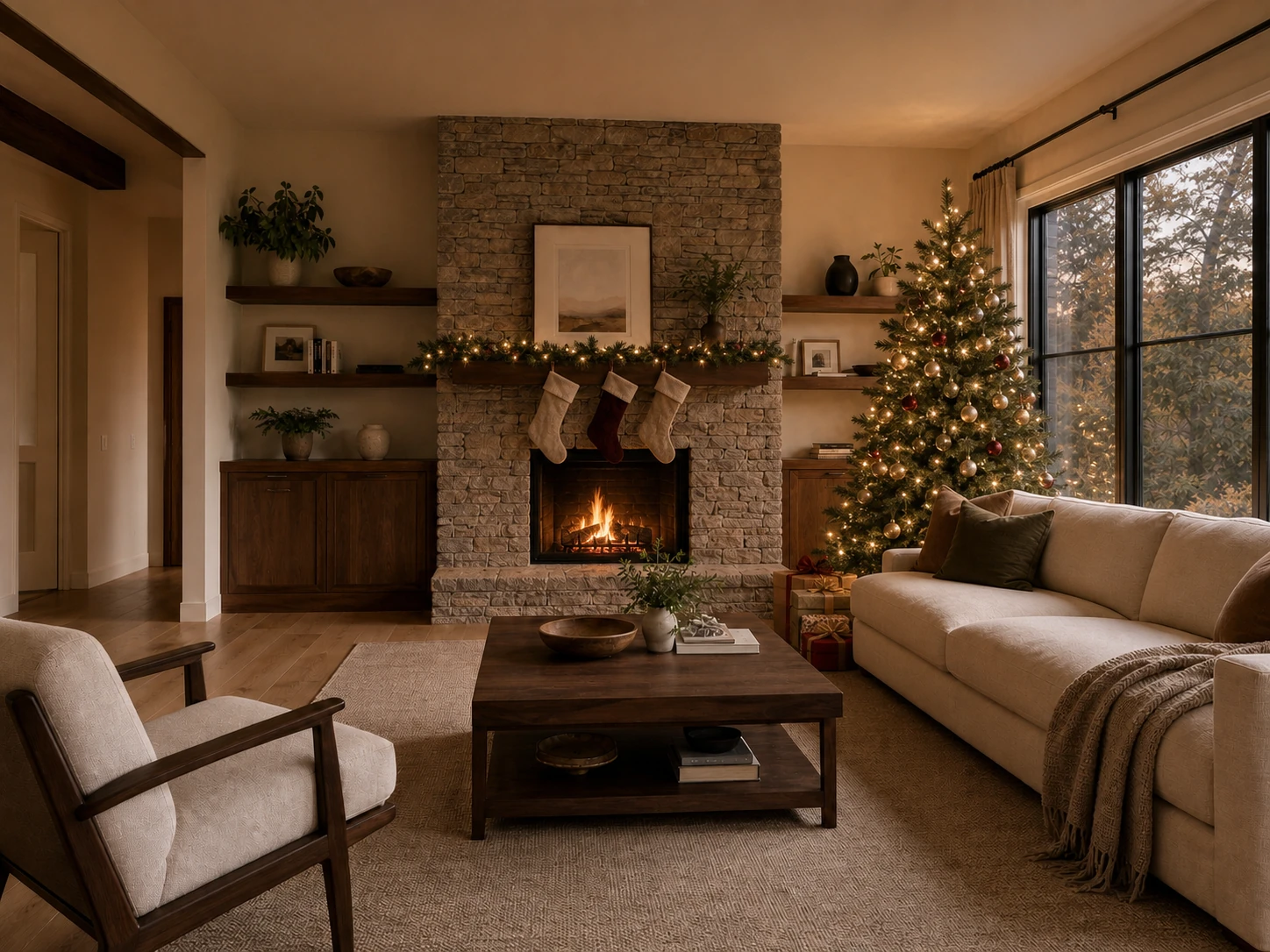
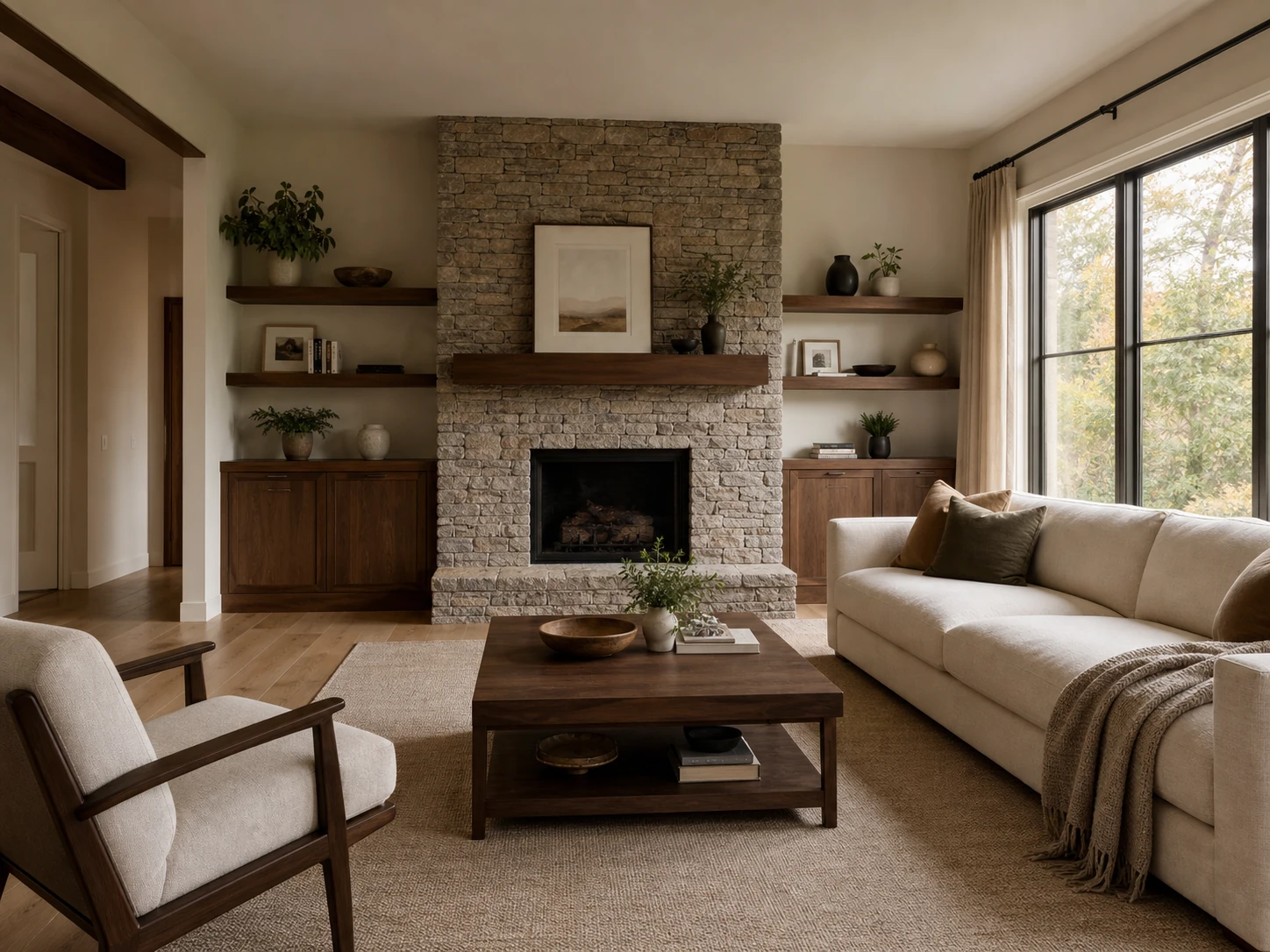
Living Room transformed with the Vizmuse AI Christmas photo generatorLiving Room before AI Christmas photo generation
🛑 Before✨ After

Living Room

Scene Mode
🛑Before: A neutral, undecorated room with clear architecture and natural light.
✨After: The same room transformed with a lit tree, balanced garlands, stockings, wrapped gifts, and warm holiday lighting.
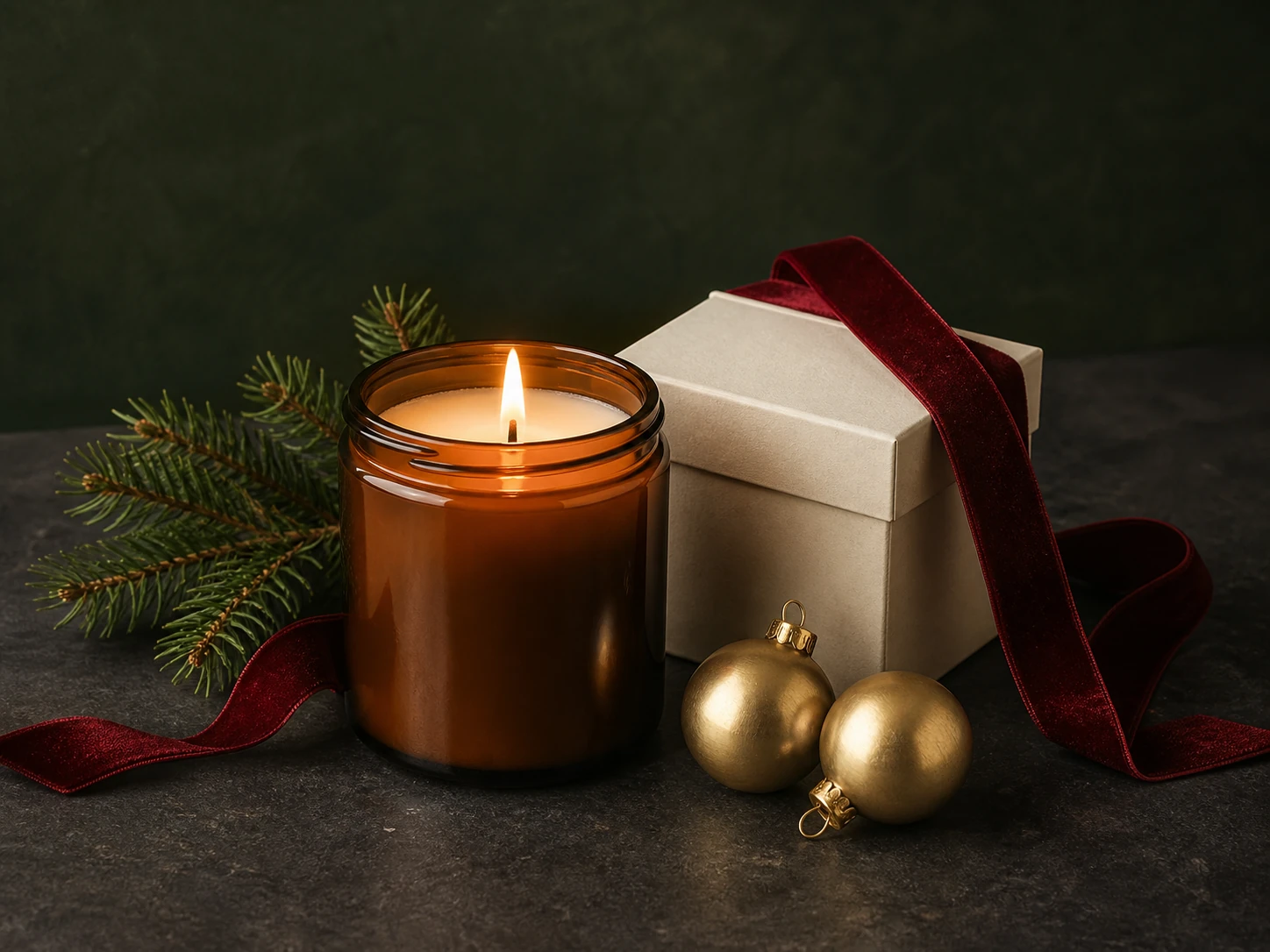
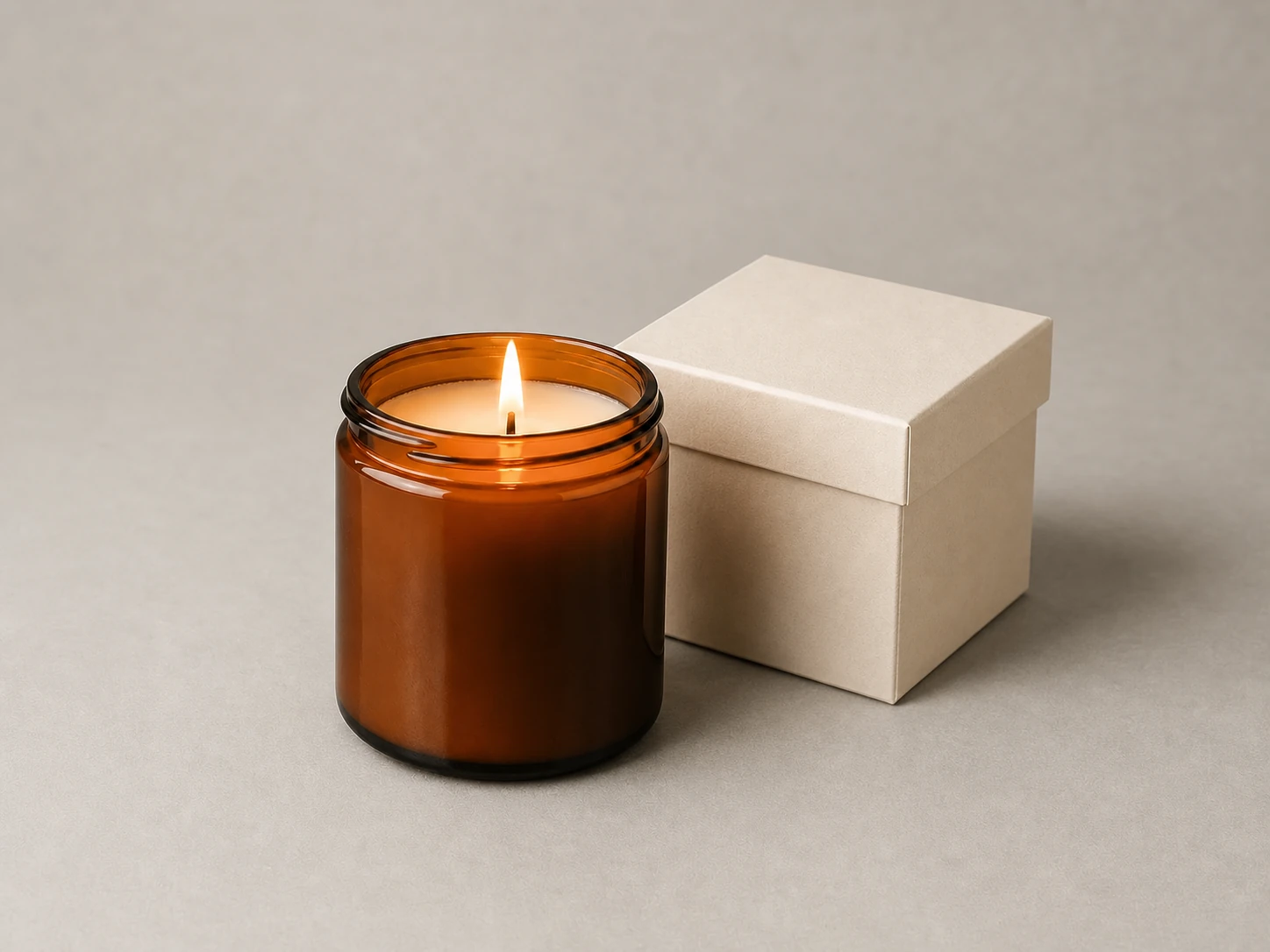
Product Shot transformed with the Vizmuse AI Christmas photo generatorProduct Shot before AI Christmas photo generation
🛑 Before✨ After

Product Shot

Elegant Campaign
🛑Before: A clean catalog photo with an amber candle and plain gift box.
✨After: A premium holiday campaign with pine, velvet ribbon, gold ornaments, and refined seasonal lighting.

Transform Your Photo into a Christmas Scene

Vizmuse is designed for photo-to-photo transformation. Instead of generating a random person from a text prompt, you begin with your own image and guide the result with a Christmas style or optional instructions.

  • Choose a cozy living room with a decorated tree, a snowy outdoor portrait, an elegant holiday studio, a playful Santa scene, or a red-and-white candy cane setup. The generator uses your uploaded image as the visual reference while reimagining the surroundings, lighting, clothing, and festive details.
  • For the best result, use a clear, well-lit photo where the main subject is easy to see. Front-facing portraits generally work well for people, while uncluttered product and room photos give the AI more space to add natural-looking decorations.
  • Created your festive holiday portrait? Enhance the warm Christmas colors or touch up lighting using our AI Photo Editor.
Selfie transformed with the Vizmuse AI Christmas photo generator
Family portrait converted into a festive Christmas card photo
Pet Christmas portrait generated from an uploaded dog photo
Product image transformed into a Christmas marketing scene

Christmas Photo Styles for Every Holiday Mood

Choose a festive style that matches the result you want, then use optional instructions to guide the mood and details.

  • Classic Christmas Portrait: Create a warm, realistic portrait with a decorated tree, soft golden lights, wrapped presents, and natural studio lighting. This style works well for profile pictures, couples, families, and professional holiday greetings.
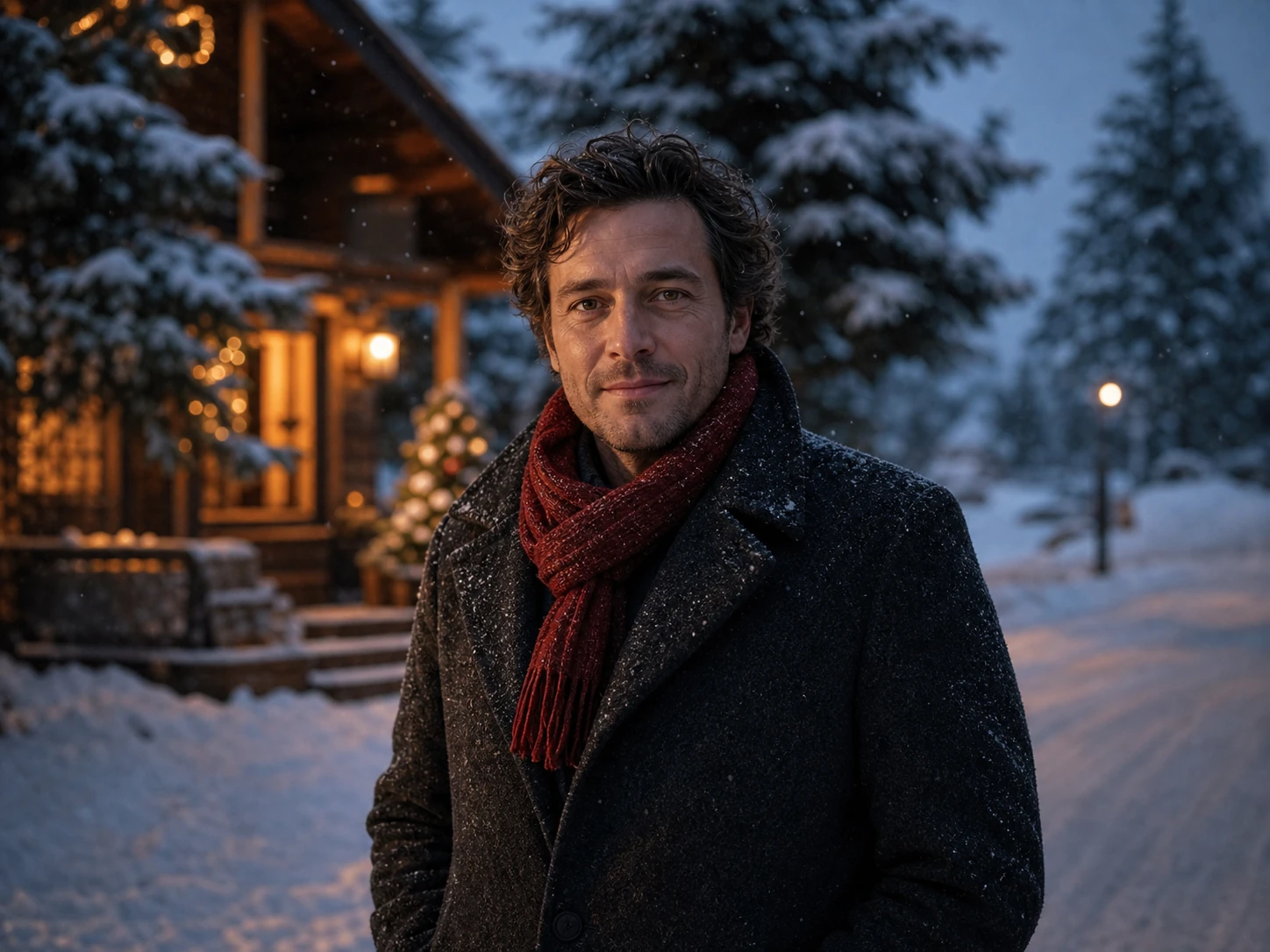
  • Snowy Winter Wonderland: Place the subject in a snowy street, pine forest, mountain cabin, or softly lit winter landscape. Use it for cinematic portraits, seasonal posts, and magical holiday scenes.
  • Candy Cane Christmas Trend: Create a playful red-and-white holiday studio with oversized peppermint decorations, sparkling outfits, soft snow, and bright editorial lighting. It is a strong choice for TikTok, Instagram, profile images, and festive social posts.
  • Cozy Fireplace and Pajamas: Turn a casual photo into a relaxed holiday moment with warm pajamas, stockings, blankets, a fireplace, and a glowing Christmas tree. This style suits family cards, pet portraits, and personal greetings.
  • Elegant Gold Holiday Studio: Generate a more polished scene with gold ornaments, dark green backgrounds, refined lighting, and premium seasonal styling. It works well for business greetings, creator branding, invitations, and product campaigns.
Warm classic Christmas portrait with a decorated tree and golden lightsClassic Christmas Portrait
Snowy Christmas portrait in a softly lit winter landscapeSnowy Winter Wonderland
Cozy family Christmas portrait beside a warm fireplaceCozy Fireplace
Elegant gold Christmas studio portrait on a deep green backdropElegant Gold Studio
Modern Santa-inspired Christmas portrait in a warm studioSanta Style
Candy cane AI Christmas portrait with red and white decorationsCandy Cane Christmas Trend

Create Christmas Photos for People, Pets, and Products

Selfies and profile pictures: Refresh your social profile with a festive portrait that still feels personal. Couples and families: Transform an existing group photo into a coordinated holiday scene without asking everyone to attend another photoshoot. Pet Christmas portraits: Add snowy backgrounds, festive accessories, warm lights, or playful candy cane decorations to a clear photo of your dog, cat, or other pet. Christmas cards: Generate a holiday-ready portrait, then add your greeting, family name, or event details in a card editor. Small-business campaigns: Add Christmas atmosphere to products, storefronts, team photos, menus, email graphics, and social promotions. Creator content: Produce seasonal thumbnails, post images, story covers, and channel visuals for Christmas videos and holiday campaigns.

Photo-to-photo transformation:You begin with your own image and guide the result with a Christmas style or optional instructions.

Holiday PreviewReady
Profile Picture Christmas photo use case
Family Card Christmas photo use case
Pet Portrait Christmas photo use case

Why Use Vizmuse for AI Christmas Photos?

No Studio Setup Required: You can create multiple holiday concepts from photos you already have. There is no need to prepare costumes, decorations, lighting equipment, or a physical Christmas set. Faster Creative Exploration: Test several moods and backgrounds before choosing the final image. One portrait can become a cozy family scene, an elegant studio shot, or a playful social trend image. Presets with Optional Control: Start quickly with a curated style, then use your own instructions to guide lighting, colors, outfits, decorations, and composition. Continue Editing in One Workspace: After generating your Christmas image, refine the background, remove unwanted details, resize the composition, or prepare the visual for social media and other creative projects.

Faster creative exploration:Turn a photo you already love into a new holiday memory. Upload your image, choose a festive style, generate several options, and refine the result for Christmas cards, social posts, gifts, or seasonal marketing.

Cozy Family Scene Christmas photo variation
Cozy Family SceneSame Photo
Elegant Studio Christmas photo variation
Elegant StudioSame Photo
Candy Cane Trend Christmas photo variation
Candy Cane TrendSame Photo

Tips for Better AI Christmas Photos

01

Use a Clear Photo

Use a sharp image with good lighting and a clearly visible subject. Avoid heavily filtered, blurry, or extremely cropped photos.

02

Match the Composition

A close-up selfie is suitable for a portrait, while a full-body result usually works better with an input image that includes more of the person.

03

Keep Instructions Focused

Ask for a small number of related changes instead of combining several unrelated scenes, outfits, and visual styles in one request.

04

Leave Space for Text

Ask for negative space on the left, right, or top when making a Christmas card, advertisement, or invitation.

05

Review the Result

AI may occasionally change small facial details, hands, accessories, patterns, background objects, or text. Regenerate or edit the image before printing or publishing it.
45-Degree classic burger camera angle preview
📷 45° Angle (4:5)
Macro shot coffee latte art camera angle preview
📷 Macro Shot (9:16)
Top-down flat lay pizza tabletop camera angle preview
📷 Top-down Flat Lay (16:9)
Christmas Photo ControlsReady
01 Photo
Family portrait.jpg
02 Style
Classic Christmas Portrait
03 Intensity
Balanced
4:5 · 2K · 1 Image · PNG
Generate Christmas Photo

How to Create an AI Christmas Photo

01

Upload Your Photo

Choose a selfie, couple portrait, family picture, pet photo, team image, room photo, storefront, or product shot. Use an image you own or have permission to edit.

02

Choose a Christmas Style

Select a visual preset that matches the result you want. Try classic Christmas portrait, winter wonderland, cozy fireplace, elegant gold, Santa outfit, festive family card, candy cane studio, or snowy city lights.

03

Add Optional Instructions

Describe any details you want to include or avoid. You can request warmer lighting, more snow, a red scarf, subtle decorations, a specific background, or extra space for greeting-card text.

04

Generate and Refine

Create your Christmas photo and review the face, hands, background, decorations, and composition. Try another preset or adjust your instructions when you want a different mood. Download the strongest result or continue editing it with Vizmuse.

Why Use Vizmuse for AI Christmas Photos?

Create multiple holiday concepts from photos you already have, explore several moods, guide the result with presets and optional instructions, and continue editing in one workspace.

Features
Traditional Shoot
Canva
Midjourney / ChatGPT
VizMuse (Ours) ✨
Studio Setup
Costumes, Decorations, Lighting
Existing Photo + Templates
Prompt-led Generation
Upload Your Photo
Starting Point
New Photoshoot
Manual Composition
Text Prompt
Selfie, Family, Pet, or Product Photo
Holiday Direction
Physical Set
Graphic Templates
Custom Prompt
Curated Christmas Styles
Creative Exploration
Limited by Shoot
Manual Variations
Prompt Iteration
Presets + Optional Instructions
Next Step
Separate Editing
Continue Designing
Download Result
Continue Editing in One Workspace

Create Christmas Photos for People, Pets, and Products

Selfies and Profile Pictures created with an AI Christmas photo generator

Selfies and Profile Pictures

Refresh your social profile with a festive portrait that still feels personal.

Couples and Families created with an AI Christmas photo generator

Couples and Families

Transform an existing group photo into a coordinated holiday scene without asking everyone to attend another photoshoot.

Pet Christmas Portraits created with an AI Christmas photo generator

Pet Christmas Portraits

Add snowy backgrounds, festive accessories, warm lights, or playful candy cane decorations to a clear photo of your dog, cat, or other pet. Generate a holiday-ready portrait, then add your greeting, family name, or event details in a card editor.

Small-business Campaigns created with an AI Christmas photo generator

Small-business Campaigns

Add Christmas atmosphere to products, storefronts, team photos, menus, email graphics, and social promotions. Produce seasonal thumbnails, post images, story covers, and channel visuals for Christmas videos and holiday campaigns.

Frequently Asked Questions

An AI Christmas photo generator transforms an uploaded image into a holiday-themed visual. It can add winter backgrounds, Christmas decorations, festive clothing, seasonal lighting, and stylized photo effects.

VizMuse LogoVizMuse wordmark in graphite with coral and mint accents.VizMuse
AI Image
  • AI Image Generator
  • Image to Prompt
  • AI Comic Generator
  • AI Thumbnail Maker
  • AI Christmas Photo Generator
AI Models
  • Nano Banana 2 Lite
  • Nano Banana 2
  • GPT Image 2
  • Nano Banana Pro
公司
  • 关于我们
  • 联系我们
  • 价格
  • 隐私政策
  • 服务条款
  • Cookie政策

© 2026 VizMuse. All rights reserved.

support@vizmuse.com